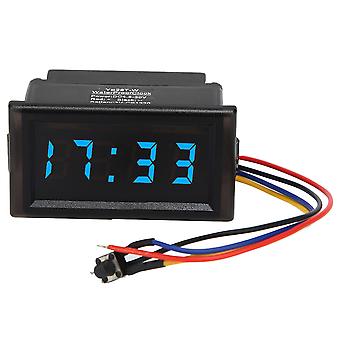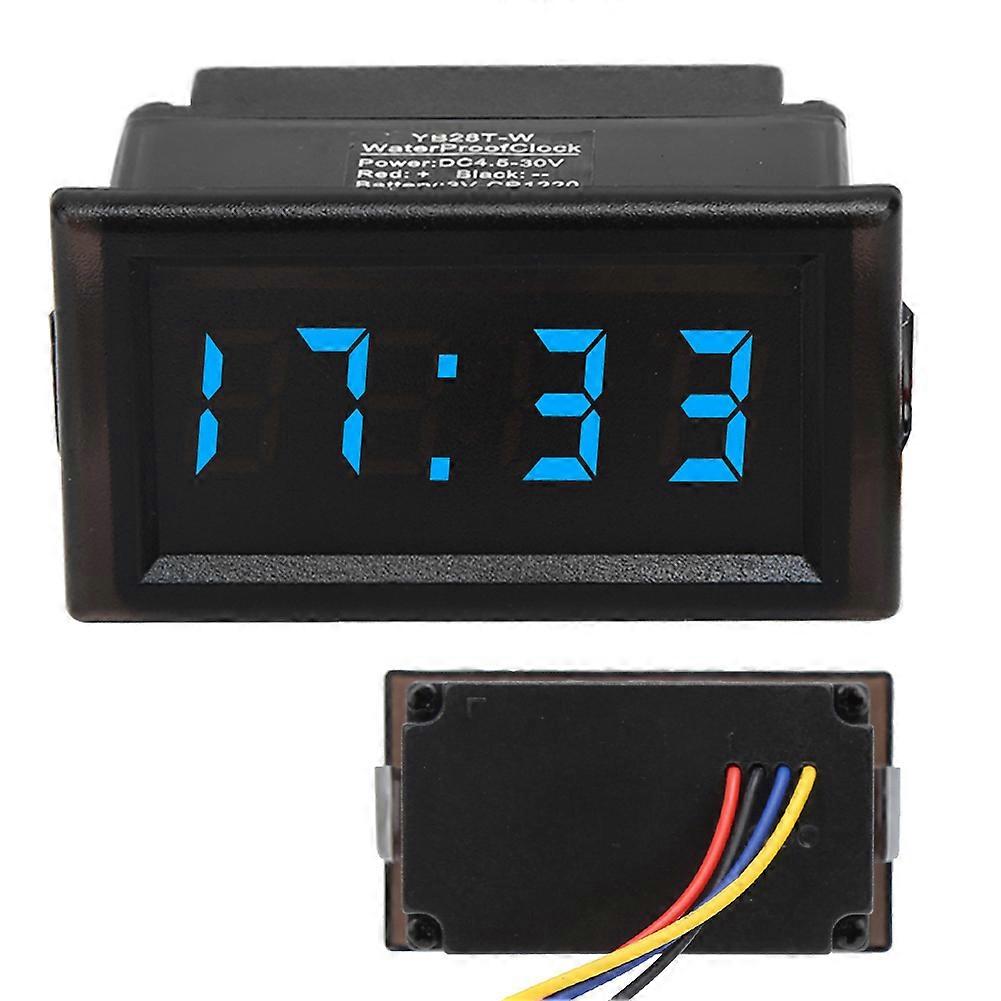
DC4.5-30V Waterproof Car Electronic Clock LED Display Blue 54x30x27mm

CHF 12.95
+ CHF 3.49 Spedizione

DC4.5-30V Waterproof Car Electronic Clock LED Display Blue 54x30x27mm

  • Marchio: Unbranded
Venduto da:

DC4.5-30V Waterproof Car Electronic Clock LED Display Blue 54x30x27mm

  • Marchio: Unbranded

CHF 12.95

Economizzare CHF 6.00 (31%)

Prezzo di vendita consigliato

CHF 18.95
Disponibile
+ CHF 3.49 Spedizione

Politica di reso a 14 giorni

Venduto da:

CHF 12.95

Economizzare CHF 6.00 (31%)

Prezzo di vendita consigliato

CHF 18.95
Disponibile
+ CHF 3.49 Spedizione

Politica di reso a 14 giorni

Metodi di pagamento:

Descrizione

DC4.5-30V Waterproof Car Electronic Clock LED Display Blue 54x30x27mm

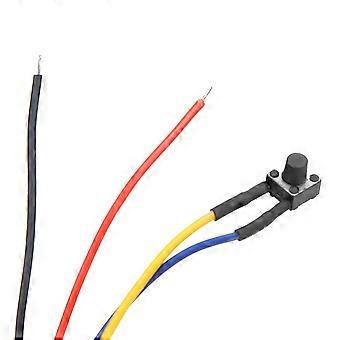
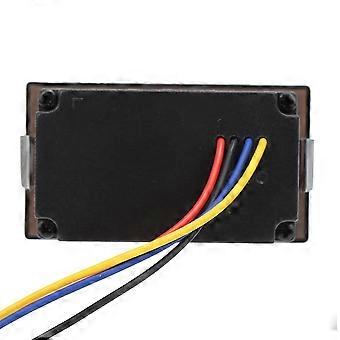
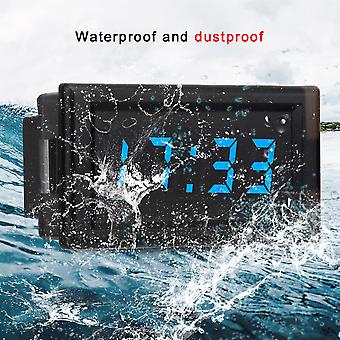
DC4.5-30V Waterproof Dustproof Car Auto Electronic Clock LED Digital Display (Blue) Features: 1. The electronic clock is waterproof and dustproof design, very durable in using. 2. It adopts one-button operation, which is practical and easy e. 3. By default, the hour, minute, second, date, and timer can be displayed, or the timer function can be turned off according to your needs. 4. It adopts 24-hour display mode and has power-off memory function. 5. It adopts DC4.5-30V wide supply voltage with reverse connection protection.   Specification: Condition: Material: ABS Optional Color: Red, Blue, Green Supply Voltage: 4.5-30V (wide range) Backup Battery: CR1220 (clock backup power supply, the time can be maintained for more than 12 months without power) Working Current: <20mA Power Supply, Button Lead Length: >120mm Size: Approx. 54 x 30 x 27mm / 2.13 x 1.18 x 1.06in Mounting Hole: Approx. 47.2 x 27.3mm / 1.86 x 1.07in Minimum Supply Voltage: +4.5V Maximum Supply Voltage: +30V Working Temperature: -10 - +65 Working Humidity: 10-80% (no condensation) Working Pressure: 80 - 106kPa Sunlight: No Direct Sunlight Package List: 1 x Electronic Clock Instructions: 1. Power on: When the red positive and black negative connections are connected to the power supply, the time will be displayed. The built-in CR1220-3V backup twists button battery, when the external power supply is not connected to the power supply, the clock will go all the way and will not stop. 2. Key switching sequence: time division mode - second mode - date mode - timer mode 3. Second mode: In time mode, press the button to display the second, the display format: XX After no button press for about 30 seconds, it will automatically jump back to the hour and minute mode.  Press again to jump to the next mode 4. Date mode: In time mode, press the button twice to display the date, display the date format: month. After about 30 seconds, it will automatically jump back to the hour and minute mode. Press again to jump to the next mode 5. Timer mode: In time mode, press the button three times to display the timekeeping mode, display format: 00:.00 If there is no start timing, no button press within 30 seconds will automatically retreat to the hour and minute mode. In the timekeeping mode, press and hold the button to start timing. The point below the colon starts to flash; then press and hold the button to pause the time. The point below the colon is always on, not flashing; Timing clear method: external red, black line power off, long press the button for about 5 seconds In the timekeeping mode, press the button to switch to the hour and minute mode, and also to view the date and seconds. 6. Time setting: In hour, minute mode or second mode, press and hold the button until the hour number flashes, indicating that the time is set, and press the button again to adjust the hour. After the hour is adjusted, press and hold the button until the minute number flashes, indicating that the minute setting is entered. Press the button again to adjust the minute. After the minute is adjusted, press and hold the button until the second number flashes, indicating that the second setting is entered, press the second to clear, long press to exit the time setting mode and save the set time. During the time setting process, if there is no button press in about 30 seconds, it will automatically exit the setting mode. 7. Date setting: In the date mode, press and hold the button until the Year number flashes, the watch enters the setting mode, and press the button once to adjust the year. Press and hold the button until the Month number flashes, indicating that the month setting is entered. Press the button again to adjust the month. After the month is adjusted, press and hold the button until the Day number flashes, indicating that the day setting is entered. Press the button again to adjust the day. After adjusting OK, press and hold the button to exit the date setting mode and save. During the date setting process, if there is no button press for about 30 seconds, it will automatically exit the setting mode.
  • Marchio: Unbranded
  • Categoria: Sveglie
  • ID Fruugo: 407347660-863353527
  • EAN: 8241329524576

Consegne e Resi

Spedito entro 24 ore

  • STANDARD: CHF 3.49 - Consegna tra mar 27 gennaio 2026–mer 04 febbraio 2026

Spedizione da Cina.

Facciamo del nostro meglio per assicurare che i prodotti che ordini vengano consegnati integralmente e secondo le tue indicazioni. Tuttavia, nel caso dovessi ricevere un ordine incompleto, oppure articoli differenti rispetto a quelli che hai ordinato, o se c'è qualche altro motivo per il quale non sei soddisfatto dell'ordine, puoi effettuare il reso dell'ordine, o qualsiasi prodotto incluso nell'ordine e ricevere un rimborso completo per gli articoli. Visualizza la politica di reso completa

Dettagli sulla conformità del prodotto

Si prega di consultare le informazioni di conformità specifiche per questo prodotto descritte di seguito.

Le seguenti informazioni sono fornite dal rivenditore terzo indipendente che vende questo prodotto.

Produttore:
Le seguenti informazioni sono i dati di contatto del produttore del prodotto rilevante venduto su Fruugo.

  • Guangzhoushiyiangongchuangwangluojishu Co.,Ltd.
  • Guangzhoushiyiangongchuangwangluojishu Co.,Ltd.
  • Room201,AreaB,No.280,Zhongshan Avenue East
  • Huangpu
  • Guangzhou
  • Guangdong
  • China
  • 518000
  • firzen.pan@gmail.com
  • +8619128656319

Persona responsabile nell'UE:
Le seguenti informazioni sono informazioni dei contatto della persona responsabile nell'UE. La persona responsabile è l'operatore economico designato con sede nell'UE, responsabile degli obblighi di conformità relativi al prodotto in questione venduto nell'Unione Europea.

  • SUCCESS COURIER SL
  • SUCCESS COURIER SL
  • CALLE RIO TORMES NUM.1.PLANTA 1,DERECHA.OFICINA3.Fuenlabrada.
  • Madrid
  • Spain
  • 28947
  • successservice2@hotmail.com
  • +34910602659