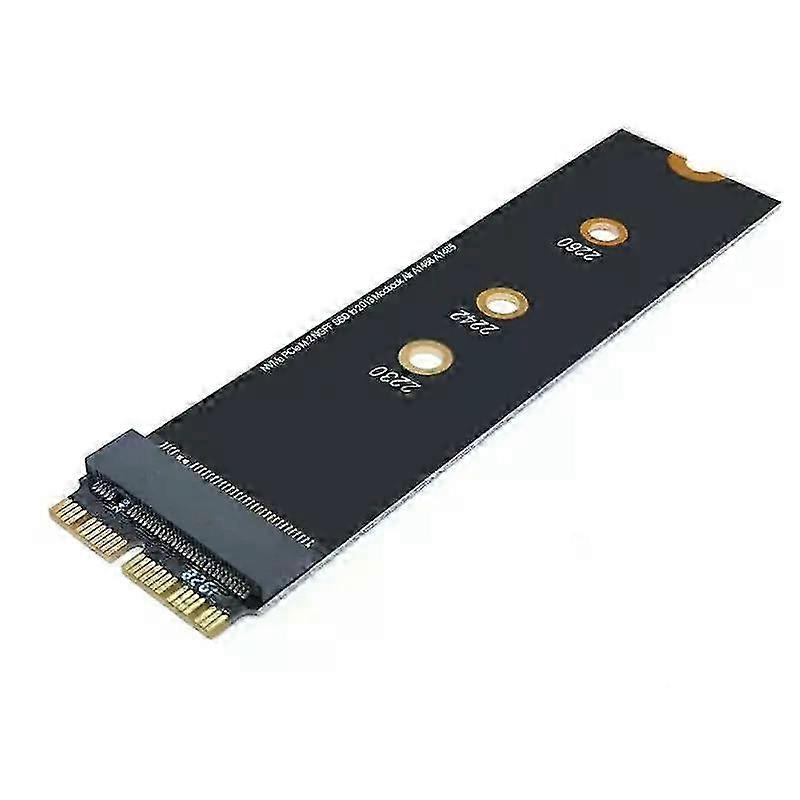
M Key M.2 NGFF PCIe AHCI SSD Adapter Card For MACBOOK Air 2013 2014 2015 2017 A1465 A1466 Pro A1398 A1502 A1419 2230-2280 SSD M225-26

CHF 16.95
+ CHF 6.99 Versand

M Key M.2 NGFF PCIe AHCI SSD Adapter Card For MACBOOK Air 2013 2014 2015 2017 A1465 A1466 Pro A1398 A1502 A1419 2230-2280 SSD M225-26

  • Marke: Unbranded
Verkauft von:

M Key M.2 NGFF PCIe AHCI SSD Adapter Card For MACBOOK Air 2013 2014 2015 2017 A1465 A1466 Pro A1398 A1502 A1419 2230-2280 SSD M225-26

  • Marke: Unbranded

CHF 16.95

Bespaar CHF 24.00 (58%)

UVP

CHF 40.95
Auf Lager
+ CHF 6.99 Versand

14-Tage-Rückgabepolitik

Verkauft von:

CHF 16.95

Bespaar CHF 24.00 (58%)

UVP

CHF 40.95
Auf Lager
+ CHF 6.99 Versand

14-Tage-Rückgabepolitik

Zahlungsmethoden:

Beschreibung

M Key M.2 NGFF PCIe AHCI SSD Adapter Card For MACBOOK Air 2013 2014 2015 2017 A1465 A1466 Pro A1398 A1502 A1419 2230-2280 SSD M225-26

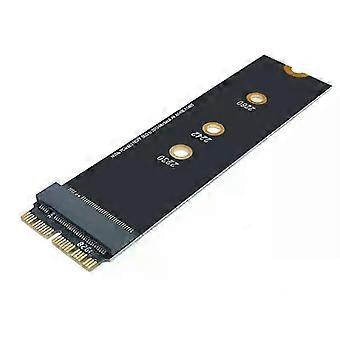
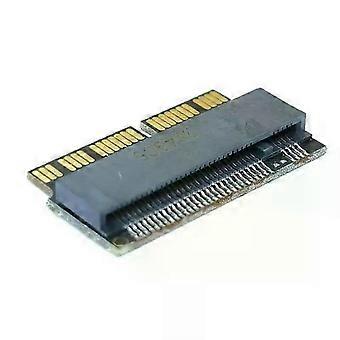
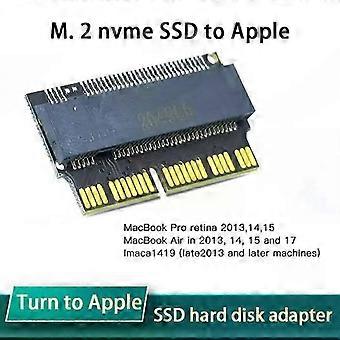
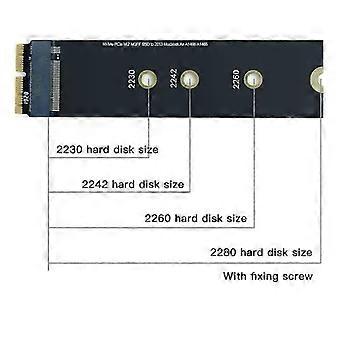
M Key M.2 NGFF PCIe AHCI SSD Adapter Card For MACBOOK Air 2013 2014 2015 2017 A1465 A1466 Pro A1398 A1502 A1419 2230-2280 SSD M2 Description: M.2 NVMe SSD Transfer to Apple Notebook Adapter Card input interface:M-Key M.2 NVME (SATA M.2 protocol is supported) The following machine models can be installed: 2013 - MacBook Pro retina A1398 A1502 (ME864 ME865 ME866 ME293 ME294), 2014 - MacBook Pro retina A1502 A1398 (MGX72 MGX82 MGX92 MGXA2 MGXC2), 2015 - MacBook Pro retina A1502 A1398 (MF839 MF840 MF841 MJLQ2 MJLT2 MJLU2), 2013-2014 - MacBook Air A1465 A1466 (MD711 MD712 MD760 MD761), 2015 - MacBook Air A1465 A1466 (MJVM2 MJVP2 MJVE2 MJVG2 MMGF2 MMGG2), 2017 - MacBook Air A1466 (MQD32 MQD42 MQD52, Model A1466 EMC3178) 2017 - Mac Pro ME253 MD878, iMAC A1419 (Late 2013 And future machines). Specifications:Answers to FAQ questions: This adapter card has been tested before delivery, and you can't recognize the disk when you install it. Please don't doubt that the adapter card is broken It is wrong to doubt life like this. The reasons for not recognizing the disk can be summarized as follows: 1. The adapter card is not inserted into the solid-state hard disk socket of the computer, so you can use a little force. If our customer service encounters N and says that you can't recognize the disk, take a picture and look at it, but it's not inserted to the end, so you can't recognize it. 2. The hard disk is used incorrectly. Some buyers use the SATA protocol M.2 NGFF hard disk to install it, but it will definitely not work. 3. The system installation disk must use version 10.13.6 or higher, and some buyers use version 10.11, 10.12 or even 10.10 to install it, which is not acceptable because these old systems do not contain NVME drivers. This is the same as the Microsoft system. If your computer uses the NVME protocol hard disk and builds a windows 7 system, you will definitely not recognize the disk (of course, you can install the windows 7 system by patching J, and patch the old mac system-it can be used, but it is very troublesome) 4. The partition format of the hard disk is incorrect, which cannot be recognized when installing the system. GPT(GUID) partition format is required. 5. Don't install the system from the network, and don't try to restore the system with your original backup, because the new and old versions of Apple system have different disk formats! It is the only way to download the Apple system honestly, install the 10.13.6 Apple system disk and install it from the USB flash drive! To restore your original system data, I can tell you a train of thought, because a friend of the buyer said it would do this, but I didn't actually operate it, and I don't know the specific details. The train of thought is for reference only, so I can't provide technical supp Package Included: 1xSolid state disk adapter card Notes:Please read the precautions before purchasing:Attention should be paid to installing NVME M.2ssd: firstly, the original hard disk must be upgraded to the new version after high sierra 10.13, and the smc and boot rom versions of mac will be automatically updated during the upgrade, so as to support nvme SSD. Secondly, the new hard disk mac OS must not be installed with the networking recovery software that comes with MAC, but should be installed through USB flash drive (10.13.6 USB flash drive Apple tool sh
  • Fruugo-ID: 428863566-901071125
  • EAN: 6193025338990

Lieferung und Rückgaben

Versand innerhalb von 24 Stunden

  • STANDARD: CHF 6.99 - Lieferung zwischen Do. 12 Februar 2026–Do. 19 Februar 2026

Versand von China.

Wir tun unser Bestes, um dafür zu sorgen, dass die von Ihnen bestellten Produkte vollständig und gemäß Ihrer Spezifikationen an Sie geliefert werden. Wenn Sie allerdings eine unvollständige Bestellung oder Artikel erhalten, die sich von den bestellten unterscheiden, oder es einen anderen Grund gibt, warum Sie mit Ihrer Bestellung nicht zufrieden sind, können Sie die gesamte Bestellung oder einzelne darin enthaltenen Produkte zurücksenden und eine vollständige Rückerstattung für die Artikel erhalten. Vollständige Rückgaberichtlinie ansehen

Details zur Produktkonformität

Bitte beachten Sie die unten aufgeführten Konformitätsinformationen zu diesem Produkt.

Die folgenden Informationen werden vom unabhängigen Drittanbieter bereitgestellt, der dieses Produkt verkauft.

Hersteller:
Es folgen die Kontaktdaten für den Hersteller des jeweiligen Produkts, das auf Fruugo verkauft wird.

  • SHENZHEN YIOU E-COMMERCE CO.,LIMITED
  • SHENZHEN YIOU E-COMMERCE CO.,LIMITED
  • RM 509, 5/F THE CLOUD 111 TUNG CHAU ST TAI KOK TSUI
  • HONG KONG
  • HK
  • 999077
  • jdsjmy5677@163.com
  • 8618681481963

Verantwortliche Person in der EU:
Es folgen die Kontaktinformationen für die verantwortliche Person in der EU. Die verantwortliche Person ist der benannte Wirtschaftsteilnehmer mit Sitz in der EU und verantwortlich für die Compliance-Verpflichtungen in Verbindung mit dem jeweiligen Produkt, das in die Europäische Union verkauft wird.

  • Sophie Bennett
  • Synertrade FR SAS
  • 9 rue du Bat d'Argent
  • Lyon
  • FR
  • 69001
  • info@syner-sarl.cn
  • 33774555006