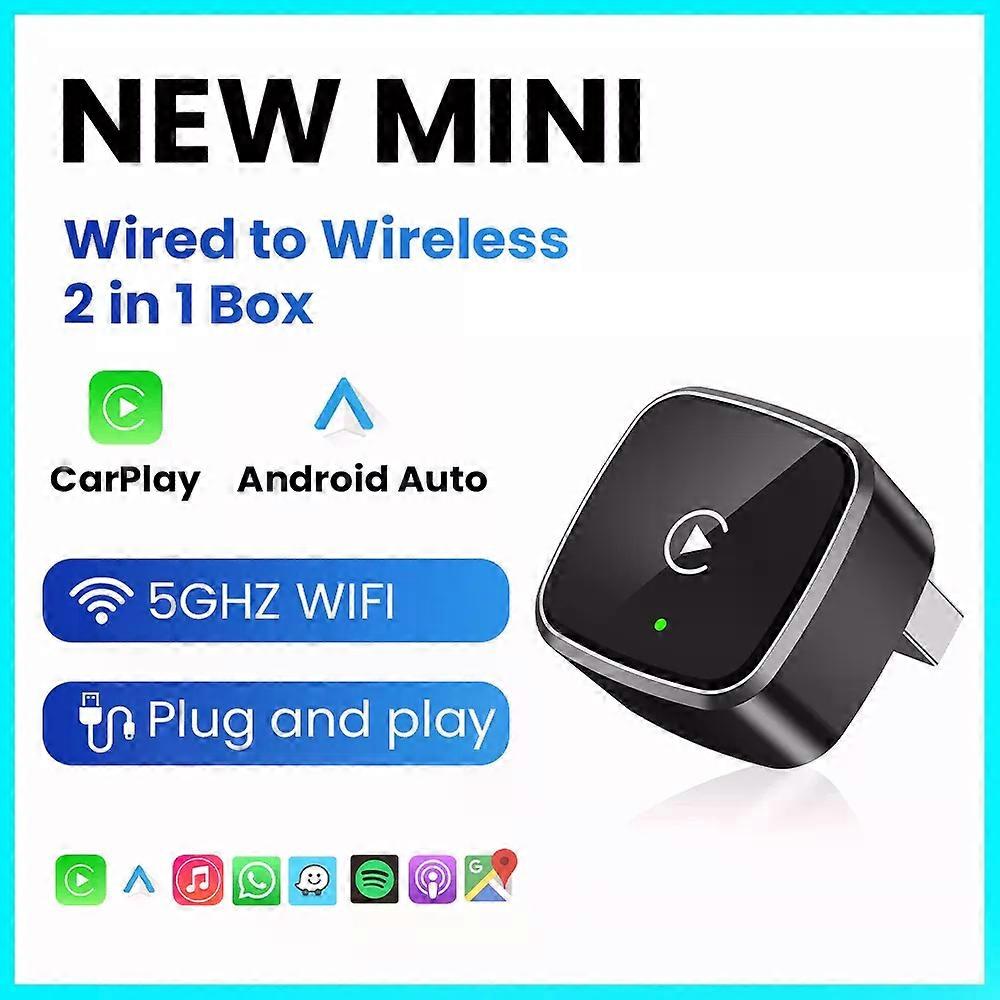
2in1 Wired To Wireless CarPlay Adapter Android Auto USB Dongle Smart Box High Quality Luxury Car Accessories Intelligent System

CHF 33.95
+ CHF 7.99 Versand

2in1 Wired To Wireless CarPlay Adapter Android Auto USB Dongle Smart Box High Quality Luxury Car Accessories Intelligent System

  • Marke: Unbranded
Verkauft von:

2in1 Wired To Wireless CarPlay Adapter Android Auto USB Dongle Smart Box High Quality Luxury Car Accessories Intelligent System

  • Marke: Unbranded

CHF 33.95

Bespaar CHF 35.05 (50%)

UVP

CHF 69.00
Auf Lager
+ CHF 7.99 Versand

14-Tage-Rückgabepolitik

Verkauft von:

CHF 33.95

Bespaar CHF 35.05 (50%)

UVP

CHF 69.00
Auf Lager
+ CHF 7.99 Versand

14-Tage-Rückgabepolitik

Zahlungsmethoden:

Beschreibung

2in1 Wired To Wireless CarPlay Adapter Android Auto USB Dongle Smart Box High Quality Luxury Car Accessories Intelligent System

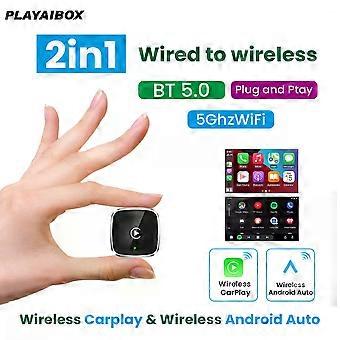
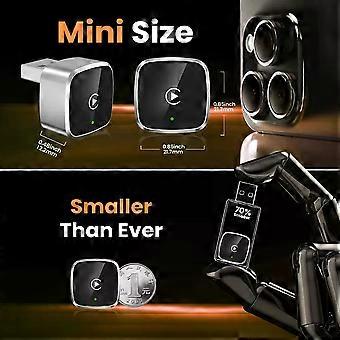
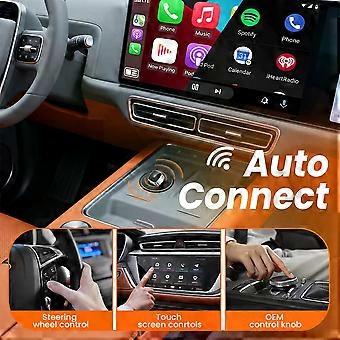
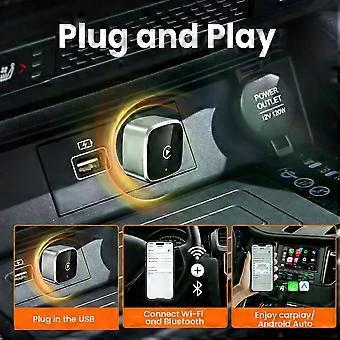
Specifications High-concerned chemical:None Origin:Mainland China Conditions of Use:Only Support Original Car With Wired Carplay/Android Auto Support the Car:For Benz Volvo Toyota Skoda Seat Nissan Mazda Lexus Kia Jeep Jaguar Hyundai,For Honda Haval GMC Ford Chevrolet Citroen Buick Cadillac Chery MG Blunetooth:5.0 Wifi:2.4G+5G Feature:Wireless Carplay Feature1:Wireless Android Auto Feature2:Fota Update Feature3:Plug and play Feature4:Carplay adapter Feature5:Android auto adapter Main functions of the product 1.Wired Apple Carplay to wireless Apple CarPlay 2.Wired Android Auto to wireless Android Auto Note before buying 1. This product only supports OEM car radios with 98% wired Apple Carplay/Android Auto 2. If there is no wired Carplay/Android Auto support/please do not buy, you will not be able to use it if you buy it, because this is entered through the original car Carplay/Android Auto protocol 3. This device does not support BMW/Tesla/Subaru/Mitsubishi/cars (Nissan is not recommended for purchase, poor compatibility) For Phone 1.For Carplay: Supports iPhone 6 and above models, software version is iOS 10 or above. 2.For Android Auto: Supports Android 11 and above models, and the phone supports wireless Android Auto 3.Huawei phones are quite unique, as Huawei devices have their own mobile operating system - EMUI. Android Auto Wireless does not support EMUI How to use wireless Carplay? 1. Connect the USB box to the car USB 2. Check the Bluetooth name "Smart Dongle-XXXX" that appears on the car 3. Turn on the phone's WIFI and Bluetooth, and use the Bluetooth pairing device name. How to use wireless Android Auto? 1. Connect the USB box to the car USB 2. Check the Bluetooth name "Smart Dongle-XXXX" that appears on the car 3. Turn on the phone's WIFI and Bluetooth, and use the Bluetooth pairing device name. Function of switching between products If you need to switch from wireless Carplay to wireless Android auto function Please use an Android phone to connect the device Bluetooth name. After the connection is successful, wait for the device to automatically reset and restart. The process takes about 30 seconds. Keep it powered on Carplay will switch to Android Auto function So you can use an Android phone to connect to the wireless Android Auto function Note: 1.To use wireless Android Auto Your car needs to have the Android Auto channel function Your phone is an Android system and supports the Android Auto function 2.To use wireless Carplay Your car needs to have the Carplay channel function Your phone is an Apple phone and has an ios10 system or above How to upgrade for iPhone online? Access the backend page with an iPhone 1. Please use your phone to connect to the device Wifi: "Smart Dongle" and enter the password: "12345678", 2. Open the Safari browser on your iPhone and enter the IP address: "192.168.1.101, 3. Click "Access" or "Go" to enter the online upgrade backend. (If you cannot enter, please check whether the phone's Wifi is correctly connected to the device) Android phone upgrade method Android phone access backend page 1. Please use your phone to connect to the device Wifi: "Smart Dongle" Enter the password: "12345678" 2. Open the mobile phone Chrome browser and enter the IP address: "192.168.1.101 3. Click "Access" or "Go" to enter the online upgrade backend interface. (If you cannot enter, please check whether the phone's Wifi is correctly connected to the device) FOTA If the original car has wired Carplay/Android, why can't it be connected? "1. Please use your phone to delete the original car's Bluetooth device name 2. Restore the factory device (Because the device is a single Bluetooth, if the original car's Bluetooth is already connected to the phone, the phone cannot connect to the device's Bluetooth)" After pairing the Android Auto adapter, the Android Auto feature does not start or the USB is not compatible/recognized "1. If your car is using the Android Auto function for the first time, please use a data cable to connect your phone to activate Android Auto via wired mode. 2. Please make sure that the Android Auto on your Android phone is the latest version. If not, please update to the latest version. 3. Please turn off the Bluetooth of your phone and enter the mobile application management to search for automatic clearing of automatic cache. After the cleanup is completed, restart the adapter and reconnect Bluetooth." The adapter light remains on after the car is turned off. Since all power is not cut off immediately when the car is turned off, the light of the adapter will not go out immediately, but it will take a while. Please rest assured that its power consumption is extremely low and will not drain the battery. Can the phone use other network wifi when using wireless android auto adapter?
  • Fruugo-ID: 441210063-926003913
  • EAN: 692034793920

Produktsicherheitsinformationen

Bitte beachten Sie die unten aufgeführten spezifischen Produktsicherheitsinformationen für dieses Produkt

Die folgenden Informationen werden vom unabhängigen Drittanbieter bereitgestellt, der dieses Produkt verkauft.

Produktsicherheitsetiketten

CE Mark
Teilenummer des Herstellers: 692034793920
Modellnummer: 692034793920
Seriennummer: 692034793920
Chargennummer: 692034793920

Lieferung und Rückgaben

Versand innerhalb von 3 Tagen

  • STANDARD: CHF 7.99 - Lieferung zwischen Di. 27 Januar 2026–Mi. 04 Februar 2026

Versand von China.

Wir tun unser Bestes, um dafür zu sorgen, dass die von Ihnen bestellten Produkte vollständig und gemäß Ihrer Spezifikationen an Sie geliefert werden. Wenn Sie allerdings eine unvollständige Bestellung oder Artikel erhalten, die sich von den bestellten unterscheiden, oder es einen anderen Grund gibt, warum Sie mit Ihrer Bestellung nicht zufrieden sind, können Sie die gesamte Bestellung oder einzelne darin enthaltenen Produkte zurücksenden und eine vollständige Rückerstattung für die Artikel erhalten. Vollständige Rückgaberichtlinie ansehen

Details zur Produktkonformität

Bitte beachten Sie die unten aufgeführten Konformitätsinformationen zu diesem Produkt.

Die folgenden Informationen werden vom unabhängigen Drittanbieter bereitgestellt, der dieses Produkt verkauft.

Hersteller:
Es folgen die Kontaktdaten für den Hersteller des jeweiligen Produkts, das auf Fruugo verkauft wird.

  • Shenzhen Huahuiyu Technology Co., Ltd.
  • Shenzhen Huahuiyu Technology Co., Ltd.
  • Room 511, Xiaren Yongsheng Building, Shangcun Community, Gongming Street, Guangming District
  • Shenzhen
  • China
  • 518000
  • huahuiyu2023@163.com
  • 86-15818330429

Verantwortliche Person in der EU:
Es folgen die Kontaktinformationen für die verantwortliche Person in der EU. Die verantwortliche Person ist der benannte Wirtschaftsteilnehmer mit Sitz in der EU und verantwortlich für die Compliance-Verpflichtungen in Verbindung mit dem jeweiligen Produkt, das in die Europäische Union verkauft wird.

  • E-CrossStu GmbH
  • E-CrossStu GmbH
  • Mainzer Landstr.69, 60329 Frankfurt am Main, Hessen, Deutschland
  • Frankfurt am Main, Hessen
  • Germany
  • 60329
  • E-crossstu@web.de
  • +49 69332967674