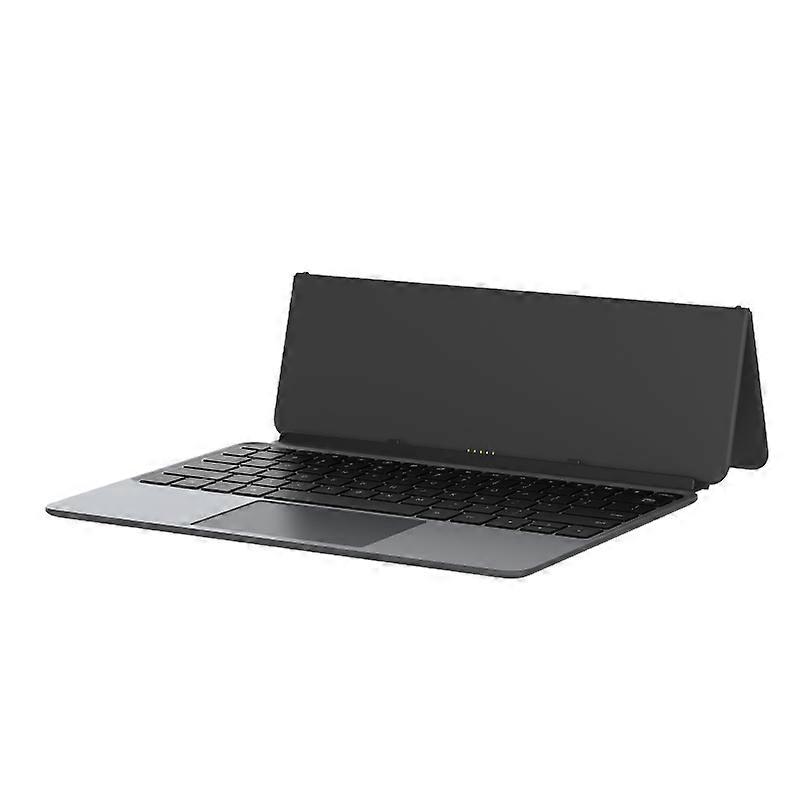
Alldocube Keyboard For Ultra Pad

CHF 94.00
spedizione GRATUITA

Alldocube Keyboard For Ultra Pad

  • Marchio: Unbranded
Venduto da:

Alldocube Keyboard For Ultra Pad

  • Marchio: Unbranded

CHF 94.00

Economizzare CHF 25.00 (21%)

Prezzo di vendita consigliato

CHF 119.00
Disponibile
spedizione GRATUITA

Politica di reso a 14 giorni

Venduto da:

CHF 94.00

Economizzare CHF 25.00 (21%)

Prezzo di vendita consigliato

CHF 119.00
Disponibile
spedizione GRATUITA

Politica di reso a 14 giorni

Metodi di pagamento:

Descrizione

Alldocube Keyboard For Ultra Pad

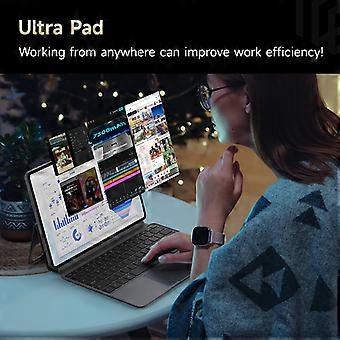
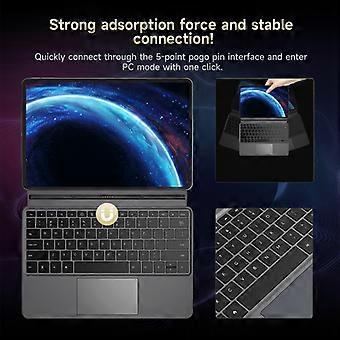
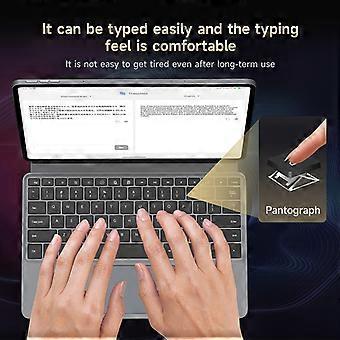
Alldocube Keyboard For Ultra Pad Important Note: If you have any questions, or if there are any problems with the package you received, please contact us through Aliexpress chatting as soon as possible. We have professional customer service staff and technical support, and we will try our best to assist you in solving the problem. Your understanding would be highly appreciated. Note: 1.Only the keyboard is included, not the tablet. 2.This keyboard is only compatible with Ultra Pad. Please purchase it according to your own needs. Keyboard instructions 1. Keyboard OTA upgrade The U1380 official keyboard is ALLDOCUBE/x27;s first keyboard that can be upgraded online via OTA. When the keyboard is pushed for an upgrade, it will automatically pop up a window to prompt that the keyboard is in the process of upgrading after being connected to the tablet. The upgrade takes approximately 1 to 2 minutes to complete. If there is an unsuccessful upgrade, the next time the keyboard is connected, it will remind you to upgrade again. After connecting the keyboard to the tablet, you can check the keyboard version in Settings - System Settings - Keyboard - Keyboard Firmware Version. This function will only be displayed after the keyboard is connected. It is not displayed normally. The current firmware version is 1.05 2. Keyboard language and layout switching Due to the different keyboard language usage habits in each country, it is necessary to make Settings before officially using the keyboard. The Settings are very simple and only require a few steps. 1. Open the tablet Settings APP and find the System Settings option. 2. System Settings > Language > Put the language you want to use first. Iii. System Settings > Keyboard > Physical Keyboard > uart_dock > Multilingual Settings > Select Your language. 4. System Settings > Keyboard > On-Screen Keyboard > Gboard > Language > Select Your Language > Select the keyboard style you want (it is very important to be consistent with the style of your keyboard film) - Go back. 5. Open a dialog box that allows input > Long press the space bar > On the page that pops up, select your language to complete the Settings. 3. Disable/Enable the touchpad function The ⌘/P key combination turns the touchpad function off/on. Pressing this key combination will prompt the tablet 4. The keyboard functions are mainly available in tablet mode. Some key combinations are not available in computer mode.
  • ID Fruugo: 458026653-965124651
  • EAN: 6942755935319

Consegne e Resi

Spedito entro 3 giorni

  • STANDARD: GRATIS - Consegna tra mar 27 gennaio 2026–lun 02 febbraio 2026 - GRATIS

Spedizione da Cina.

Facciamo del nostro meglio per assicurare che i prodotti che ordini vengano consegnati integralmente e secondo le tue indicazioni. Tuttavia, nel caso dovessi ricevere un ordine incompleto, oppure articoli differenti rispetto a quelli che hai ordinato, o se c'è qualche altro motivo per il quale non sei soddisfatto dell'ordine, puoi effettuare il reso dell'ordine, o qualsiasi prodotto incluso nell'ordine e ricevere un rimborso completo per gli articoli. Visualizza la politica di reso completa

Dettagli sulla conformità del prodotto

Si prega di consultare le informazioni di conformità specifiche per questo prodotto descritte di seguito.

Le seguenti informazioni sono fornite dal rivenditore terzo indipendente che vende questo prodotto.

Produttore:
Le seguenti informazioni sono i dati di contatto del produttore del prodotto rilevante venduto su Fruugo.

  • Hangzhou Zichi Network Technology Co., Ltd
  • Hangzhou Zichi Network Technology Co., Ltd
  • Room 205, Building 3, No. 1866, Binxing Road
  • Changhe Street, Binjiang District
  • Hangzhou
  • China
  • 310000
  • 18758862577@163.com
  • 15158876167

Persona responsabile nell'UE:
Le seguenti informazioni sono informazioni dei contatto della persona responsabile nell'UE. La persona responsabile è l'operatore economico designato con sede nell'UE, responsabile degli obblighi di conformità relativi al prodotto in questione venduto nell'Unione Europea.

  • Universal International business SARL
  • Universal International business SARL
  • 254 Rue Vendome 69003 Lyon
  • Lyon
  • France
  • 69003
  • Leroy.Holliana@outlook.com
  • 33773332462