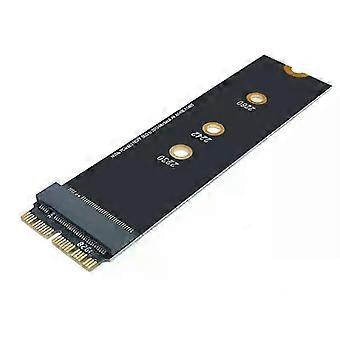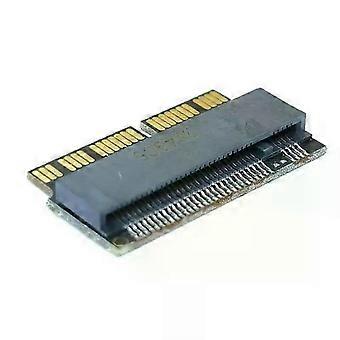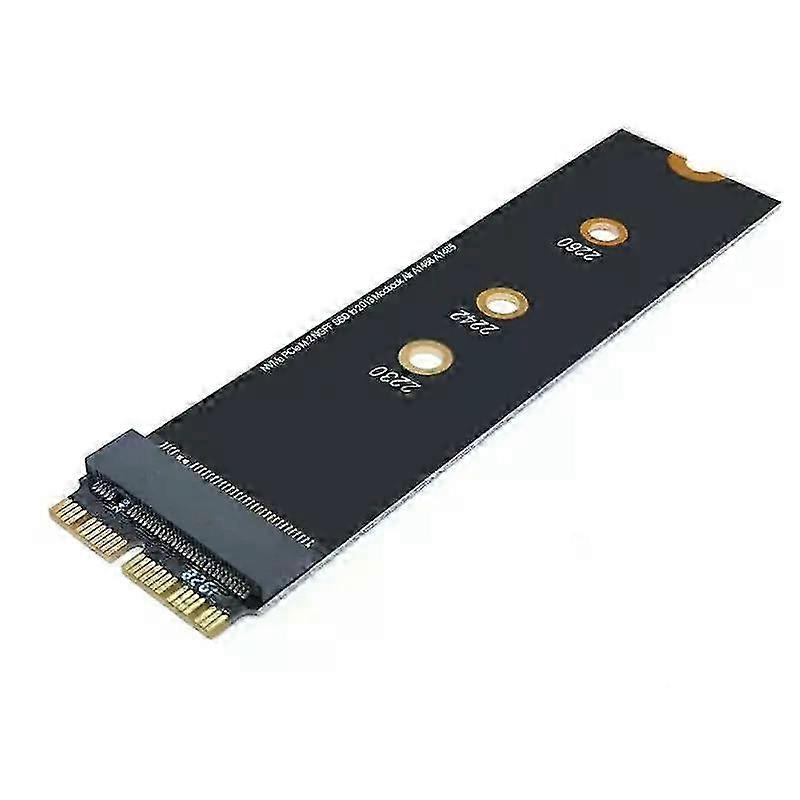
M Key M.2 NGFF PCIe AHCI SSD Adapter Card For MACBOOK Air 2013 2014 2015 2017 A1465 A1466 Pro A1398 A1502 A1419 2230-2280 SSD M225-26

16.95 CHF
+ 6.99 CHF Livraison

M Key M.2 NGFF PCIe AHCI SSD Adapter Card For MACBOOK Air 2013 2014 2015 2017 A1465 A1466 Pro A1398 A1502 A1419 2230-2280 SSD M225-26

  • Marque: Unbranded
Verkocht door:

M Key M.2 NGFF PCIe AHCI SSD Adapter Card For MACBOOK Air 2013 2014 2015 2017 A1465 A1466 Pro A1398 A1502 A1419 2230-2280 SSD M225-26

  • Marque: Unbranded

16.95 CHF

Économisez 24.00 CHF (58%)

Prix de vente recommandé

40.95 CHF
En stock
+ 6.99 CHF Livraison

Politique de retour sur 14 jours

Verkocht door:

16.95 CHF

Économisez 24.00 CHF (58%)

Prix de vente recommandé

40.95 CHF
En stock
+ 6.99 CHF Livraison

Politique de retour sur 14 jours

Modes de paiement:

Description

M Key M.2 NGFF PCIe AHCI SSD Adapter Card For MACBOOK Air 2013 2014 2015 2017 A1465 A1466 Pro A1398 A1502 A1419 2230-2280 SSD M225-26

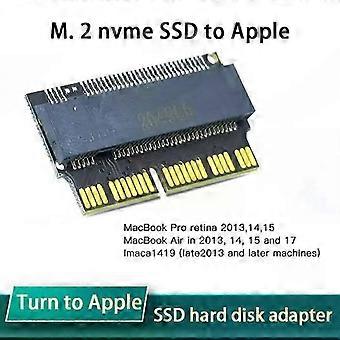
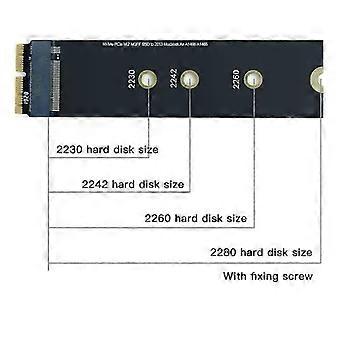
M Key M.2 NGFF PCIe AHCI SSD Adapter Card For MACBOOK Air 2013 2014 2015 2017 A1465 A1466 Pro A1398 A1502 A1419 2230-2280 SSD M2 Description: M.2 NVMe SSD Transfer to Apple Notebook Adapter Card input interface:M-Key M.2 NVME (SATA M.2 protocol is supported) The following machine models can be installed: 2013 - MacBook Pro retina A1398 A1502 (ME864 ME865 ME866 ME293 ME294), 2014 - MacBook Pro retina A1502 A1398 (MGX72 MGX82 MGX92 MGXA2 MGXC2), 2015 - MacBook Pro retina A1502 A1398 (MF839 MF840 MF841 MJLQ2 MJLT2 MJLU2), 2013-2014 - MacBook Air A1465 A1466 (MD711 MD712 MD760 MD761), 2015 - MacBook Air A1465 A1466 (MJVM2 MJVP2 MJVE2 MJVG2 MMGF2 MMGG2), 2017 - MacBook Air A1466 (MQD32 MQD42 MQD52, Model A1466 EMC3178) 2017 - Mac Pro ME253 MD878, iMAC A1419 (Late 2013 And future machines). Specifications:Answers to FAQ questions: This adapter card has been tested before delivery, and you can't recognize the disk when you install it. Please don't doubt that the adapter card is broken It is wrong to doubt life like this. The reasons for not recognizing the disk can be summarized as follows: 1. The adapter card is not inserted into the solid-state hard disk socket of the computer, so you can use a little force. If our customer service encounters N and says that you can't recognize the disk, take a picture and look at it, but it's not inserted to the end, so you can't recognize it. 2. The hard disk is used incorrectly. Some buyers use the SATA protocol M.2 NGFF hard disk to install it, but it will definitely not work. 3. The system installation disk must use version 10.13.6 or higher, and some buyers use version 10.11, 10.12 or even 10.10 to install it, which is not acceptable because these old systems do not contain NVME drivers. This is the same as the Microsoft system. If your computer uses the NVME protocol hard disk and builds a windows 7 system, you will definitely not recognize the disk (of course, you can install the windows 7 system by patching J, and patch the old mac system-it can be used, but it is very troublesome) 4. The partition format of the hard disk is incorrect, which cannot be recognized when installing the system. GPT(GUID) partition format is required. 5. Don't install the system from the network, and don't try to restore the system with your original backup, because the new and old versions of Apple system have different disk formats! It is the only way to download the Apple system honestly, install the 10.13.6 Apple system disk and install it from the USB flash drive! To restore your original system data, I can tell you a train of thought, because a friend of the buyer said it would do this, but I didn't actually operate it, and I don't know the specific details. The train of thought is for reference only, so I can't provide technical supp Package Included: 1xSolid state disk adapter card Notes:Please read the precautions before purchasing:Attention should be paid to installing NVME M.2ssd: firstly, the original hard disk must be upgraded to the new version after high sierra 10.13, and the smc and boot rom versions of mac will be automatically updated during the upgrade, so as to support nvme SSD. Secondly, the new hard disk mac OS must not be installed with the networking recovery software that comes with MAC, but should be installed through USB flash drive (10.13.6 USB flash drive Apple tool sh
  • Marque: Unbranded
  • Catégorie: S
  • Taille: A1
  • Identifiant Fruugo: 428863566-901071125
  • EAN: 6193025338990

Livraison & retours

Expédition dans les 24 heures

  • STANDARD: 6.99 CHF - Livraison entre mer. 11 février 2026–mer. 18 février 2026

Expédition de Chine.

Nous mettons tout en œuvre pour que les produits que vous commandez vous soient livrés dans leur intégralité et selon vos indications. Néanmoins, si vous recevez une commande incomplète, des articles différents de ceux commandés ou si, pour toute autre raison, la commande ne vous satisfait pas, vous pouvez retourner la commande ou tout produit inclus dans celle-ci et recevoir un remboursement complet des articles. Voir l'intégralité de la politique de retour

Détails de conformité du produit

Veuillez consulter les informations de conformité spécifiques à ce produit décrites ci-dessous.

Les informations suivantes sont fournies par le détaillant tiers indépendant vendant ce produit.

Fabricant:
Les informations suivantes indiquent les coordonnées du fabricant du produit concerné vendu sur Fruugo.

  • SHENZHEN YIOU E-COMMERCE CO.,LIMITED
  • SHENZHEN YIOU E-COMMERCE CO.,LIMITED
  • RM 509, 5/F THE CLOUD 111 TUNG CHAU ST TAI KOK TSUI
  • HONG KONG
  • HK
  • 999077
  • jdsjmy5677@163.com
  • 8618681481963

Personne responsable dans l'UE:
Les informations suivantes indiquent les coordonnées de la personne responsable dans l'UE. La personne responsable est l'opérateur économique désigné basé dans l'UE qui est responsable des obligations de conformité relatives au produit concerné vendu dans l'Union européenne.

  • Sophie Bennett
  • Synertrade FR SAS
  • 9 rue du Bat d'Argent
  • Lyon
  • FR
  • 69001
  • info@syner-sarl.cn
  • 33774555006