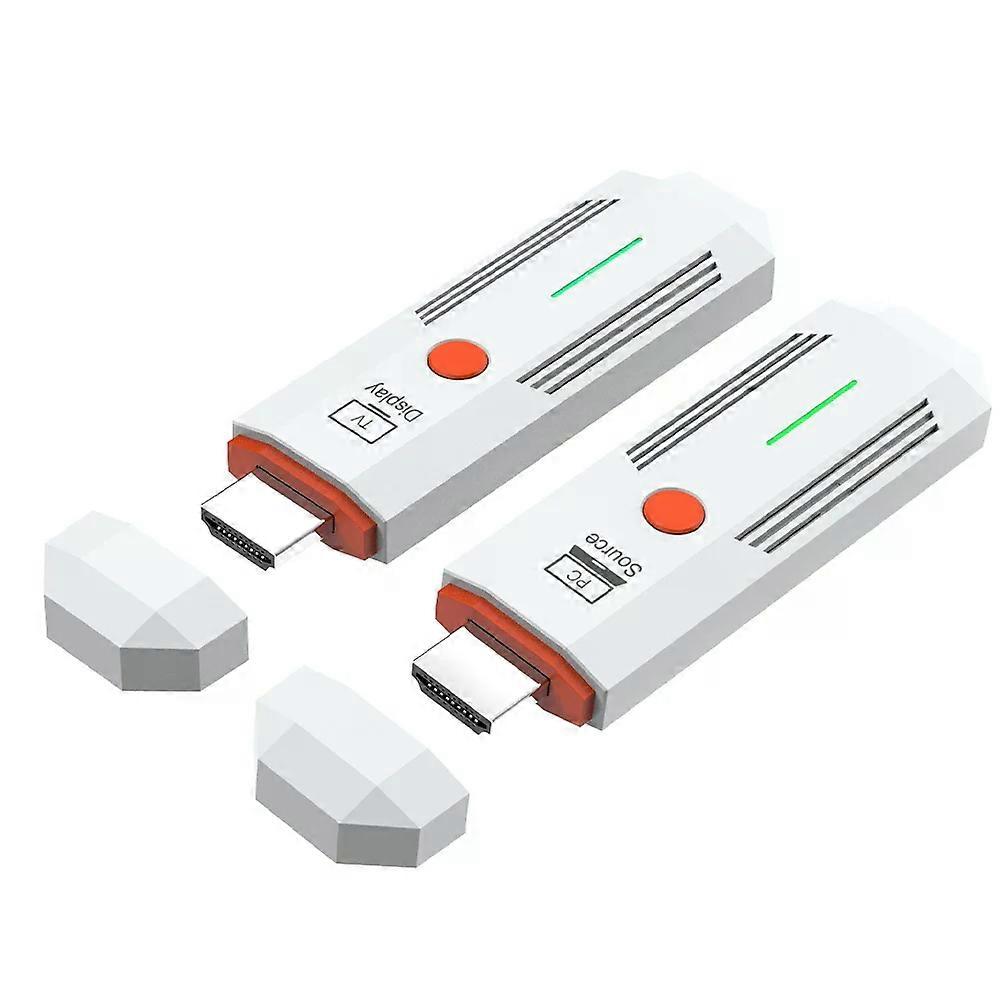
New 1080P 50m Wireless HDMI-Compatible Extender Splitter Video Transmitter Receiver for Camera Laptop to TV Monitor Projector

47.95 CHF
la livraison GRATUITE

New 1080P 50m Wireless HDMI-Compatible Extender Splitter Video Transmitter Receiver for Camera Laptop to TV Monitor Projector

  • Marque: Unbranded
Verkocht door:

New 1080P 50m Wireless HDMI-Compatible Extender Splitter Video Transmitter Receiver for Camera Laptop to TV Monitor Projector

  • Marque: Unbranded

47.95 CHF

Économisez 11.05 CHF (18%)

Prix de vente recommandé

59.00 CHF
En stock
la livraison GRATUITE

Politique de retour sur 14 jours

Verkocht door:

47.95 CHF

Économisez 11.05 CHF (18%)

Prix de vente recommandé

59.00 CHF
En stock
la livraison GRATUITE

Politique de retour sur 14 jours

Modes de paiement:

Description

New 1080P 50m Wireless HDMI-Compatible Extender Splitter Video Transmitter Receiver for Camera Laptop to TV Monitor Projector

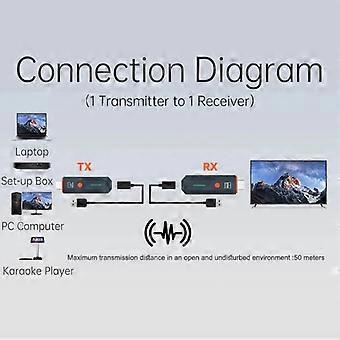
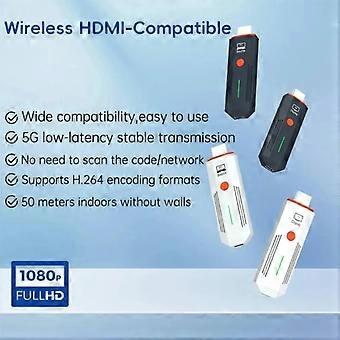
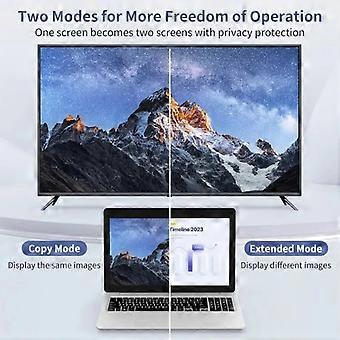
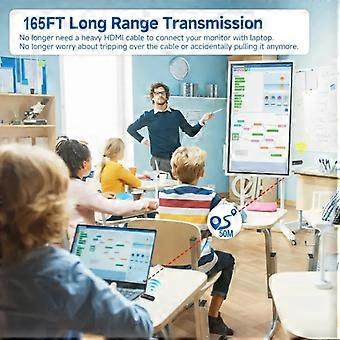
Connection instructions 1. USB power cable, one end connected to the TYPE-C power port of the transmitter, and the other end connected to the signal source Equipped with USB port power supply 2. USB power cable, one end connected to the TYPE-C power port of the receiver, and the other end connected to the display device Comes with USB port power supply 3. Transmitter HDMI port, insert signal source HDMI output port, 4. Receiver HDMI port, insert into display device HDMI input port, 5. After all display devices are connected, wait for 30 to 40 seconds for the image to appear, including the receiver and transmitter The indicator light flashes rapidly; Matching method /1/ One on one pairing method 1. Long press the pairing button on the transmitter without releasing it, then connect the power supply port to the power supply and wait for the green indicator light to turn on quickly Flash, the transmitter enters pairing mode and then releases the pairing button; 2. Press and hold the pairing button on the receiver without releasing it, then connect the power supply port to the power supply and wait for the green indicator light to turn on Flash, the receiver enters pairing mode and then releases the pairing button; 3. Wait for a few seconds, when the receiver/x27;s green light changes from flash to steady, it is considered a successful pairing. After pairing is completed, both the transmitter and receiver need to disconnect and reconnect the power supply; /2/ One to two pairing method 1. Use a one-to-one pairing method to pair the first transmitter and the first receiver; 2. Pair the first transmitter with the second receiver; 3. After all the receivers that need to be connected are paired with the same transmitter, the transmitter and the receiver All receivers need to be disconnected from the power supply and reconnected; Precautions and common problem 1. Connect the transmitter/receiver to the TYPE-C power supply and HDMI interface sequence: Connect the power supply first, then the HDMI interface HDMI/ 2. If an HDMI adapter is used for input/output, the maximum length is less than 1.5 meters 3. Under what circumstances do we need to switch to using a power supply (1) When the receiver is connected to the display device and no signal appears on the display device, confirm After selecting a display device with no issues with the HDMI channel, switch to using a phone charger for reception Device power supply; (2) When the connection interface /quot;Connecting.../quot; is displayed for a long time on the TV or projector, the transmitter The indicator light keeps flashing (slow flashing); (3) The transmitter and receiver are successfully connected but no image is displayed; 4. What situations require re pairing (1) Within a close range of 1 meter, there is no image displayed on the TV or projector; (2) Within 1 meter of close range, the connection interface /quot;Connecting.../quot; is displayed for a long time on the TV or projector The transmitter indicator light keeps flashing (slow flashing); 5. Under what circumstances is it necessary to move the distance between the transmitter and receiver closer (1) When the connection interface /quot;Connecting.../quot; does not display an image for a long time on the TV or projector Or if the TV or projector display is not smooth or the sound is stuck; 6. How to handle images without sound (1) Small speaker in the bottom right corner of the computer (Figure 1) (2) Move the mouse to the small speaker icon and right-click to /quot;Open Sound Settings/quot; (Figure 2) (3) Move the mouse to the /quot;Sound Control Panel/quot; (Figure 3) and open the Sound Control Panel. (4) Take it 1080/60 Change the option to default settings (Figure 4). (5) If there is still no sound, please restart the computer. Specifications Wireless standard: 802.11a/n Working frequency band: 2.4GHz/5.8GHz dual band Video encoding: H.264 Transmission power: 13dBm Supporting resolutions: 640 / 480720 / 480800 / 6001024 / 7681152 / 864, 1280/600,1280/720,1280/768,1280/600, 1280/960,1280/1024,1360/768 1366/768, 1400/1050,1440/900,1600/900, 1680/1050,1920/1080/ Function: Supports 1 transmitter to 1 receiver/1 transmitter to 2 receivers Wireless transmission distance: open distance of 60m; indoor accessible distance of 50m Power supply: DC 5V/1A Power: Receiver maximum 1.4W, transmitter maximum 1.7W Working temperature: -5 /70 / Working humidity: 5/ to 90/ Attachment List 1. Transmitter: 1 unit 2. Receiver: 1 unit 3. USB to TYPE-C power cord -2 pieces 4. Quick operation guide -1 book
  • Identifiant Fruugo: 457960866-965005446
  • EAN: 6942755923149

Livraison & retours

Expédition dans un délai de 3 jours

  • STANDARD: GRATUIT - Livraison entre ven. 30 janvier 2026–jeu. 05 février 2026 - GRATUIT

Expédition de Chine.

Nous mettons tout en œuvre pour que les produits que vous commandez vous soient livrés dans leur intégralité et selon vos indications. Néanmoins, si vous recevez une commande incomplète, des articles différents de ceux commandés ou si, pour toute autre raison, la commande ne vous satisfait pas, vous pouvez retourner la commande ou tout produit inclus dans celle-ci et recevoir un remboursement complet des articles. Voir l'intégralité de la politique de retour

Détails de conformité du produit

Veuillez consulter les informations de conformité spécifiques à ce produit décrites ci-dessous.

Les informations suivantes sont fournies par le détaillant tiers indépendant vendant ce produit.

Fabricant:
Les informations suivantes indiquent les coordonnées du fabricant du produit concerné vendu sur Fruugo.

  • Hangzhou Zichi Network Technology Co., Ltd
  • Hangzhou Zichi Network Technology Co., Ltd
  • Room 205, Building 3, No. 1866, Binxing Road
  • Changhe Street, Binjiang District
  • Hangzhou
  • China
  • 310000
  • 18758862577@163.com
  • 15158876167

Personne responsable dans l'UE:
Les informations suivantes indiquent les coordonnées de la personne responsable dans l'UE. La personne responsable est l'opérateur économique désigné basé dans l'UE qui est responsable des obligations de conformité relatives au produit concerné vendu dans l'Union européenne.

  • Universal International business SARL
  • Universal International business SARL
  • 254 Rue Vendome 69003 Lyon
  • Lyon
  • France
  • 69003
  • Leroy.Holliana@outlook.com
  • 33773332462