3-Key Wired Custom Keyboard Blue Axis Switch OSU Gaming Keyboard with Knob Screen RGB Copy Paste Shotcut Keyboard 26-27

12.95 CHF
+ 5.99 CHF Livraison

3-Key Wired Custom Keyboard Blue Axis Switch OSU Gaming Keyboard with Knob Screen RGB Copy Paste Shotcut Keyboard 26-27

  • Marque: Unbranded
Verkocht door:

3-Key Wired Custom Keyboard Blue Axis Switch OSU Gaming Keyboard with Knob Screen RGB Copy Paste Shotcut Keyboard 26-27

  • Marque: Unbranded

12.95 CHF

Économisez 12.00 CHF (48%)

Prix de vente recommandé

24.95 CHF
En stock
+ 5.99 CHF Livraison

Politique de retour sur 14 jours

Verkocht door:

12.95 CHF

Économisez 12.00 CHF (48%)

Prix de vente recommandé

24.95 CHF
En stock
+ 5.99 CHF Livraison

Politique de retour sur 14 jours

Modes de paiement:

Description

3-Key Wired Custom Keyboard Blue Axis Switch OSU Gaming Keyboard with Knob Screen RGB Copy Paste Shotcut Keyboard 26-27

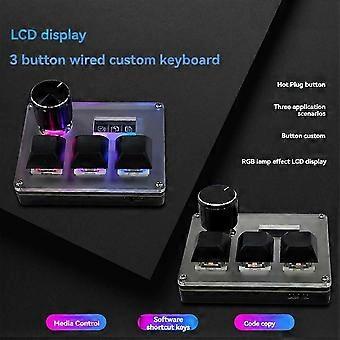
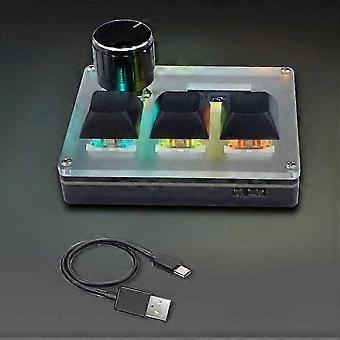
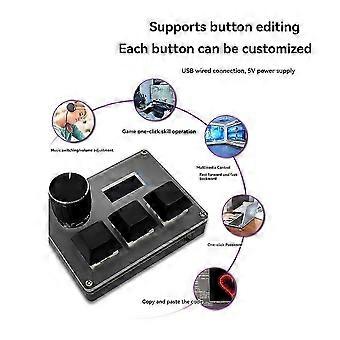
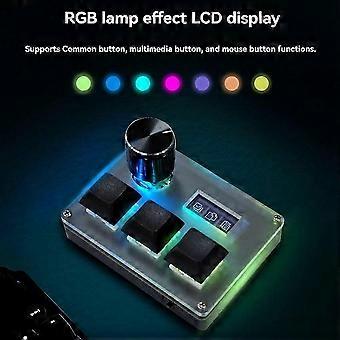
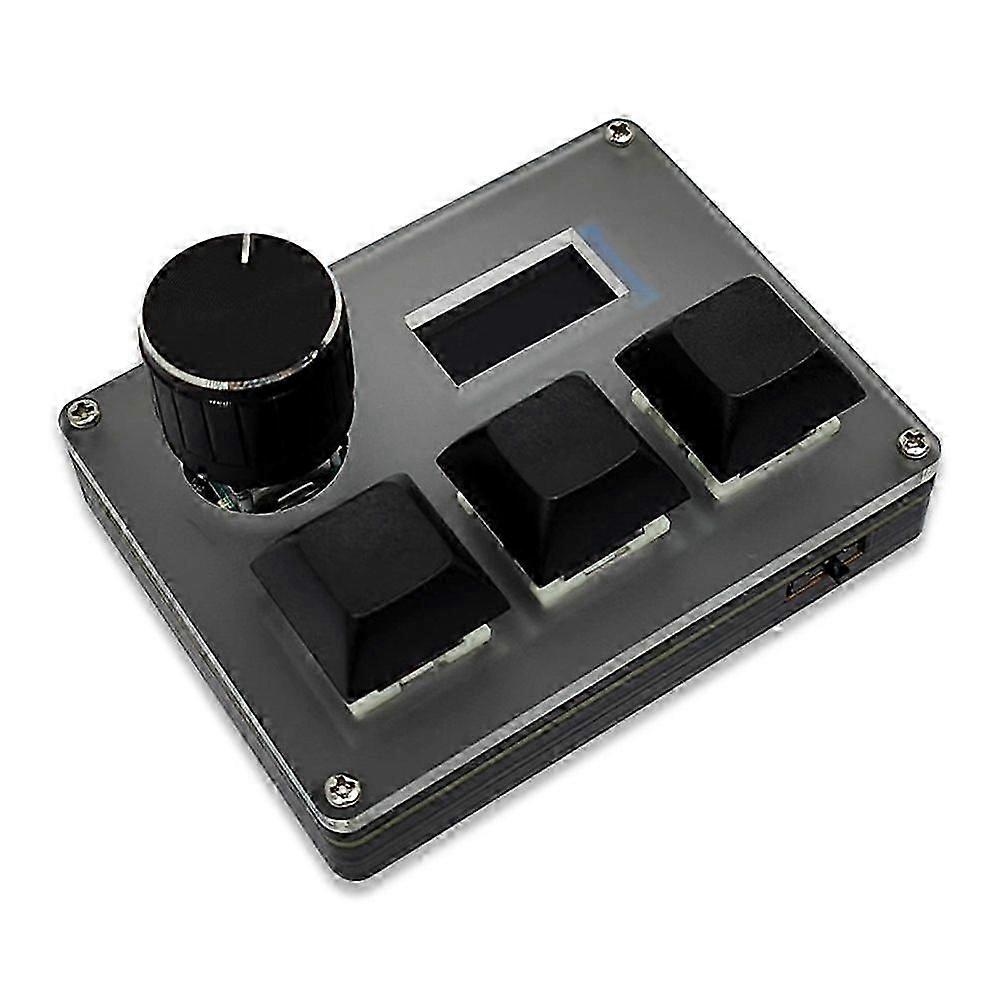
3-button wired custom keyboard, only supports wired USB mode, USB wired connection, 5V power supply. It has 3 independent buttons and a rotary encoder. With the key value editing software, the key code of each button can be edited.It has 3 scene modes of media control, software shortcut keys and code copy, and different key values can be used in different scene modes. The 0.96-inch LCD can display the functions of the 3 buttons in the current scene.RGB lighting effect, LCD display, support for ordinary buttons, multimedia buttons and mouse button functions.Hot-swap buttons.Instructions:The 3 buttons are independent, and can only be pressed one at a time, and cannot be pressed in combination. The rotary encoder can be turned left, right, and pressed. The toggle switch is used to turn the RGB light on/off. Each key can have a custom key value.Scene switching function:Press the three buttons at the same time for 3 seconds, and then release them to enter the scene switching mode. The lights will go from off at the same time to only one light on. If light 1 is on, it means that it is in scene 1 at this time, and if light 2 is on, it means that it is in scene 2 at this time. Rotate the knob to select scenes 1, 2, and 3. In different scenes, each button can have a different key value. After the selection is completed, press the 3 buttons for 3 seconds or reinsert the USB cable to restart to exit the scene setting mode.Colour:Black & TransparentMaterial:Acrylic + Aluminum AlloyPackage Contents:1 * 3-key Wired custom keyboard1 * Type-C cableOnly the above package content, other products are not included.Note: Light reflection and different displays may cause the color of the item in the picture a little different from the real thing. The measurement allowed error is +/- 1-3cm. Note: Due to the light and screen setting difference, the item's color may be slightly different from the pictures. Please allow slight dimension difference due to different manual measurement. Sold by-GONGQ trading 3
  • Marque: Unbranded
  • Catégorie: Claviers
  • Identifiant Fruugo: 512112208-1046263270
  • EAN: 4204482404103

Informations sur la sécurité des produits

Veuillez consulter les informations de sécurité du produit spécifiques à ce produit décrites ci-dessous.

Les informations suivantes sont fournies par le détaillant tiers indépendant vendant ce produit.

Étiquettes de sécurité des produits

CE Mark
Avertissements de sécurité: Not suitable for children under 36 months
Ingrédients: Others

Livraison

Expédition dans un délai de 4 jours

  • STANDARD: 5.99 CHF - Livraison entre ven. 31 juillet 2026–mar. 18 août 2026

Expédition de Chine.

Retours

Nous mettons tout en œuvre pour que les produits que vous commandez vous soient livrés dans leur intégralité et selon vos indications. Néanmoins, si vous recevez une commande incomplète, des articles différents de ceux commandés ou si, pour toute autre raison, la commande ne vous satisfait pas, vous pouvez retourner la commande ou tout produit inclus dans celle-ci et recevoir un remboursement complet des articles.

Voir l'intégralité de la politique de retour