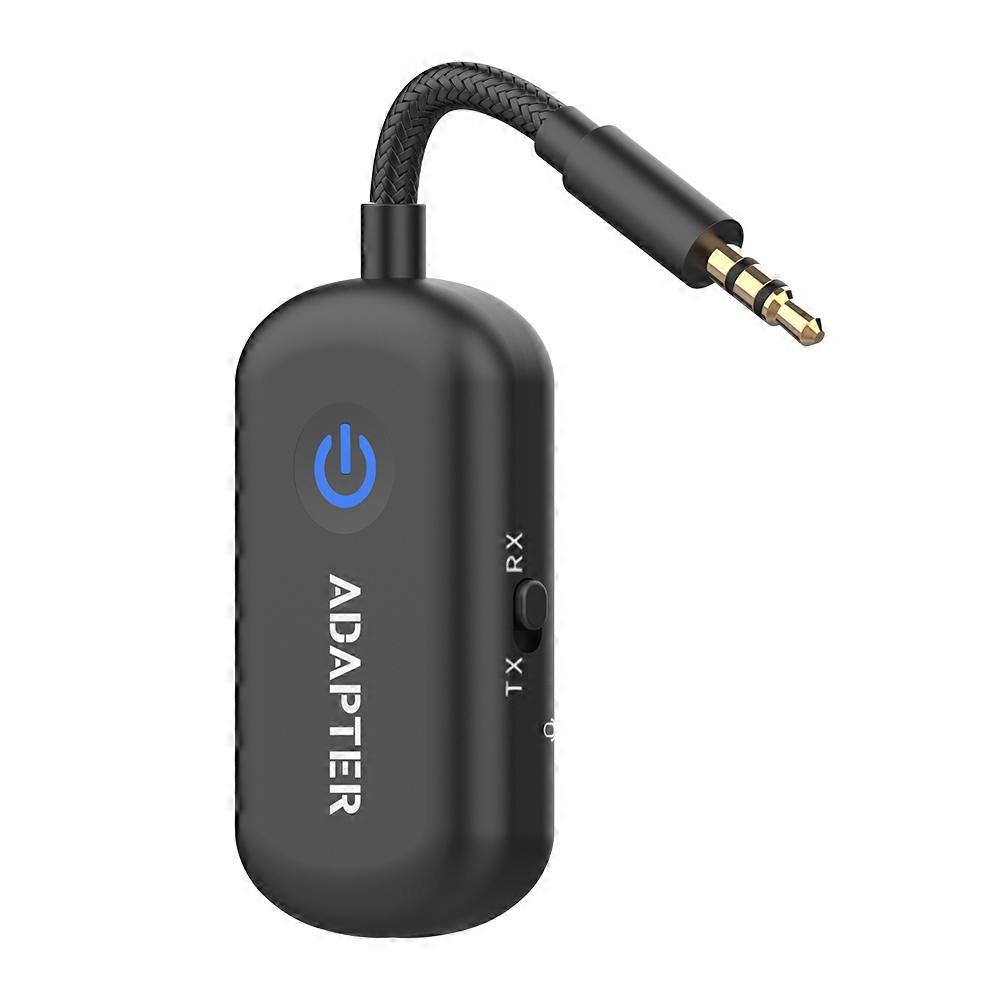
2 In 1 Bluetooth 6.0 Transmitter Receiver Stereo 3.5mm AUX Airplane Audio Wireless Adapter Mic for TV PC Headphone Car Aircraft
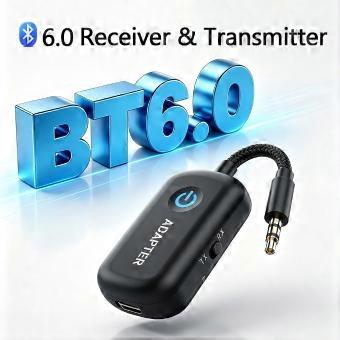
25.95 CHF
Livraison gratuite

2 In 1 Bluetooth 6.0 Transmitter Receiver Stereo 3.5mm AUX Airplane Audio Wireless Adapter Mic for TV PC Headphone Car Aircraft
Vendu par:

25.95 CHF

Économisez 11.00 CHF (29%)

Prix de vente recommandé

36.95 CHF
En stock
Livraison gratuite

Retours sous 14 jours

Modes de paiement:

  • Marque: Unbranded

Détails du produit

Détails du produit

2 In 1 Bluetooth 6.0 Transmitter Receiver Stereo 3.5mm AUX Airplane Audio Wireless Adapter Mic for TV PC Headphone Car Aircraft
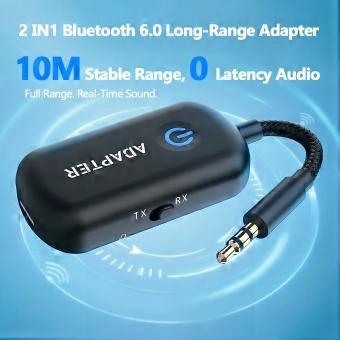
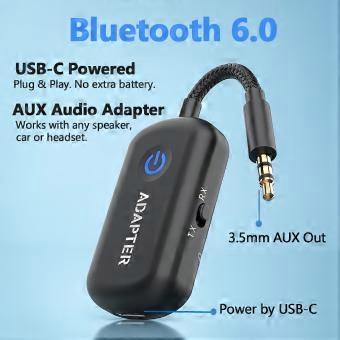
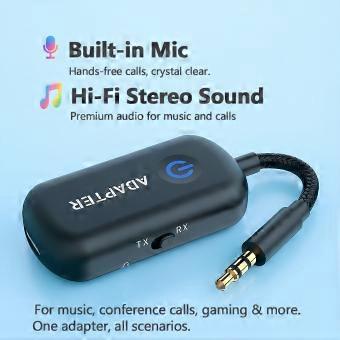
Product Features Built with Bluetooth 6.0 technology for better compatibility. Supports AAC/SBC high‑quality audio decoding. Core function: Bluetooth receiver/transmitter supports dual‑device connection (one‑to‑two). In receiver mode, wirelessly stream audio from your phone (or other source) to powered speakers, amplifiers, etc. for music playback. In transmitter mode, upgrade your TV or computer with Bluetooth capability to connect wirelessly to Bluetooth headphones. USB‑C powered, with intelligent memory for auto‑reconnection. Stable signal up to 10 meters (line‑of‑sight) with near‑zero latency. 3.5mm AUX audio input/output. High‑definition stereo sound quality, with multi‑function button controls. Built‑in high‑sensitivity microphone for hands‑free calls. How to Use Transmitter Mode (TX) Connect to an audio source device such as a TV, Nintendo Switch, in‑flight entertainment system, etc., and transmit audio to Bluetooth headphones (e.g., AirPods) or Bluetooth speakers. Connecting the First Headphone (Using AirPods as an example) ① Set the switch to "TX" side. Press and hold the multi‑function button for 3 seconds to power on. The LED will flash red and blue alternately, indicating it is in pairing mode. ② Press and hold the button on the back of the AirPods charging case to put them into pairing mode. Once the product connects to the AirPods, the product LED will flash red once every 5 seconds. ③ Plug the product into the audio source device (e.g., in‑flight entertainment system) and wear the AirPods to listen. Connecting a Second Headphone (or Speaker) ① After completing the pairing with the first headphone, put the second headphone into pairing mode. ② Double‑click the multi‑function button on the product. The LED will flash red and blue alternately, indicating it has entered pairing mode. When the connection to the second headphone is successful, the LED will flash red once every 5 seconds. Receiver Mode (RX) Connect to a speaker system (e.g., home stereo, car audio without Bluetooth) and receive/play audio from your phone (or tablet, computer). Connecting the First Phone (Using iPhone as an example) ① Set the switch to "RX" side. Press and hold the multi‑function button for 3 seconds to power on. The LED will flash red and blue alternately, indicating it is in pairing mode. ② Open Bluetooth settings on your iPhone, search for "BT200", and connect. After successful connection, the iPhone will show "Connected", and the product LED will flash blue once every 5 seconds. ③ Plug the product into the AUX audio jack of the playback device (e.g., car stereo) and play music from your iPhone. Connecting a Second Phone (or iPad) ① After completing the connection with the first phone, double‑click the multi‑function button. The LED will flash red and blue alternately to enter connection mode. ② Open Bluetooth settings on the second phone, search for "BT200", and connect. After successful connection, the phone will show "Connected", and the product LED will flash blue once every 5 seconds. Note: When two phones (A and B) are connected simultaneously, you must pause audio playback on phone A before playing audio from phone B. Important Notes: ① After the initial pairing, the product will automatically reconnect to the last connected device the next time you use it. ② If the connection is lost due to distance, the product will attempt to auto‑reconnect. If reconnection fails, it will enter pairing mode; if no device connects within a certain time, it will automatically power off.
  • Identifiant Fruugo: 553016227-1119164215
  • EAN: 0957990443655
Sécurité

Détails de conformité du produit

Veuillez consulter les informations de conformité spécifiques à ce produit décrites ci-dessous.

Les informations suivantes sont fournies par le détaillant tiers indépendant vendant ce produit.

Fabricant:
Les informations suivantes indiquent les coordonnées du fabricant du produit concerné vendu sur Fruugo.

  • Huazhixin
  • Hangzhou Huazhixin Intelligent Technology Co., Ltd.
  • Building 10, Floor 1, Room 1013, Zone W-572
  • Alibaba Digital Ecological Innovation Park, Zhejiang
  • Hangzhou
  • China
  • 311100
  • [email protected]
  • 13667007593

Personne responsable dans l'UE:
Les informations suivantes indiquent les coordonnées de la personne responsable dans l'UE. La personne responsable est l'opérateur économique désigné basé dans l'UE qui est responsable des obligations de conformité relatives au produit concerné vendu dans l'Union européenne.

  • Universal International business SARL
  • Universal International business SARL
  • 5 Impasse de la Colombette,Toulouse,Hautegaronne
  • Toulouse
  • France
  • 31000
  • [email protected]
  • +33 773332462
Livraison

Livraison

Expédition dans un délai de 3 jours

  • STANDARD: GRATUIT - Livraison entre ven. 20 novembre 2026–ven. 27 novembre 2026 - GRATUIT

Expédié depuis le Chine.

Retours

Retours

Nous mettons tout en œuvre pour que les produits que vous commandez vous soient livrés dans leur intégralité et conformément à votre commande. Néanmoins, si vous recevez une commande incomplète, des articles différents de ceux commandés ou si, pour toute autre raison, la commande ne vous satisfait pas, vous pouvez retourner la commande ou tout produit inclus dans celle-ci et obtenir le remboursement intégral des articles retournés.

Consulter la politique de retour complète